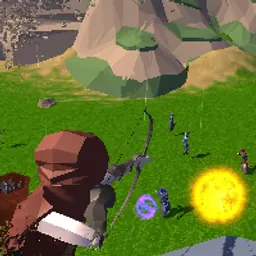
About Eugenes Life
Play Eugene’s Life, a colorful platformer where you guide a soft jelly character named Eugene through tricky levels filled with spikes, saws, and puzzles! Use your squishy abilities to bounce, roll, and stick your way to safety. Fun, challenging, and beautifully animated, it’s perfect for players who love brainy obstacle games. No download needed! Visit Classroom 6x to play online for free.
How to Play Eugene’s Life
- Use Arrow Keys or WASD to move and jump.
- Avoid sharp traps and spinning saws.
- Use physics to your advantage to pass puzzles.
- Reach the end of each level to advance.
- Play instantly in your browser, no sign-up or installation needed.
Eugenes Life controls
The game's instructions mention these controls: Arrow keys W A S D.
Click inside the game once after it loads so it receives your keyboard and mouse input.
Device compatibility
| Runs in | A web browser tab, with no download or install |
|---|---|
| Tested on | Loaded and responded to input in our automated test in Google Chrome on a desktop computer (October 25, 2026). |
| Chromebook | Uses the same Chrome browser we test with; not tested on Chromebook hardware |
| Phones and tablets | Touch controls were not tested |
| Price | Free, may show short ads from the game publisher |
How to start playing Eugenes Life
- Press Play now in the player above.
- Wait for the game to load, and for any short publisher ad to finish.
- Click inside the game once so it receives your input, then use Arrow keys W A S D.
- Use Fullscreen for a bigger view, or Reload to restart.
Games like Eugenes Life
Eugenes Life is listed under simulator games on Classroom 6X. Other games in the same categories include Horse Shoeing, Crazy Pig Simulator, Archer Master 3d Castle Defense.